FAQ/Support Show All
-
What is Buzzdock?
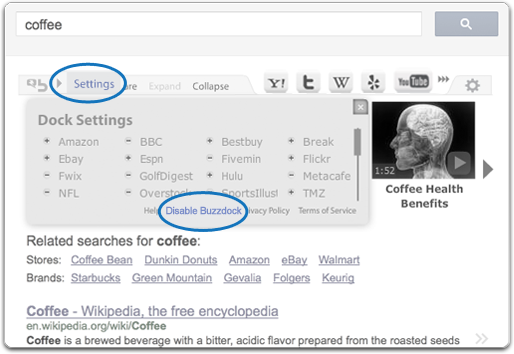
Buzzdock is a light-weight, downloadable application designed to enhance your search experience. With Buzzdock installed, you can quickly view top search results from your favorite websites without having to open multiple tabs and/or windows.
-
What browsers does Buzzdock work on?
 Buzzdock is available on all of the major web browsers.
-
What operating systems is Buzzdock compatible with?
Buzzdock currently works with most versions of Windows. For optimal performance, we suggest using the latest version of Windows.
-
How does Buzzdock work?
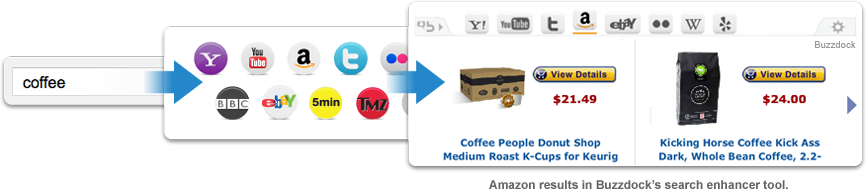
Buzzdock is a dock that sits right below the search bar of your favorite search solution. In addition to the search results you would normally get, Buzzdock provides you with a quick and easy way to see what sites such as Twitter, Flickr and eBay are showing. Click any of the icons within the Buzzdock’s Search Enhancer to see that sites top results for your search term.
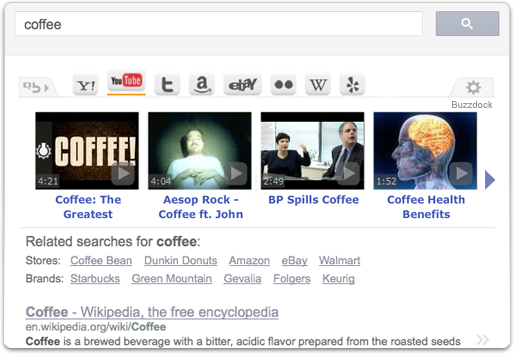
Whether you're searching for something specific, or just looking for something cool, Buzzdock can help you get there!
-
How do I uninstall Buzzdock?
To uninstall Buzzdock, you must remove “Buzzdock” from your Programs. Below are the instructions on how to remove “Buzzdock”.
Windows:
- Click the Windows Start button on the taskbar
- Go to the Control Panel
- Click 'Uninstall a Program' under the Programs icon
- Scroll to the top of the program list until you see “Buzzdock”
- Select “Buzzdock” and click ‘Uninstall’
- Complete the wizard to uninstall Buzzdock
In order to clear all Buzzdock references from your browser after uninstall, please clear your Flash cookies, cookies, cache and delete any temporary internet files. Flash cookies may need to be cleared for each browser. You may also need to close and reopen your browser(s).
- Flash Cookies:
- Internet Explorer:
- Firefox:
- Chrome: